
Skip to content

YouTube Video Downloader

Save any public YouTube video in the quality you want - from 144p up to 4K - or grab just the audio. Paste the link and download in seconds.

✓ Free, no sign-up✓ Up to 4K & MP3✓ Playlists & Shorts✓ Works on any device

How to use the YouTube Video Downloader

  1. Copy the link of the YouTube video from your browser or the Share button.

    A YouTube video link pasted into the SaveDock download box, with the YouTube tab selected
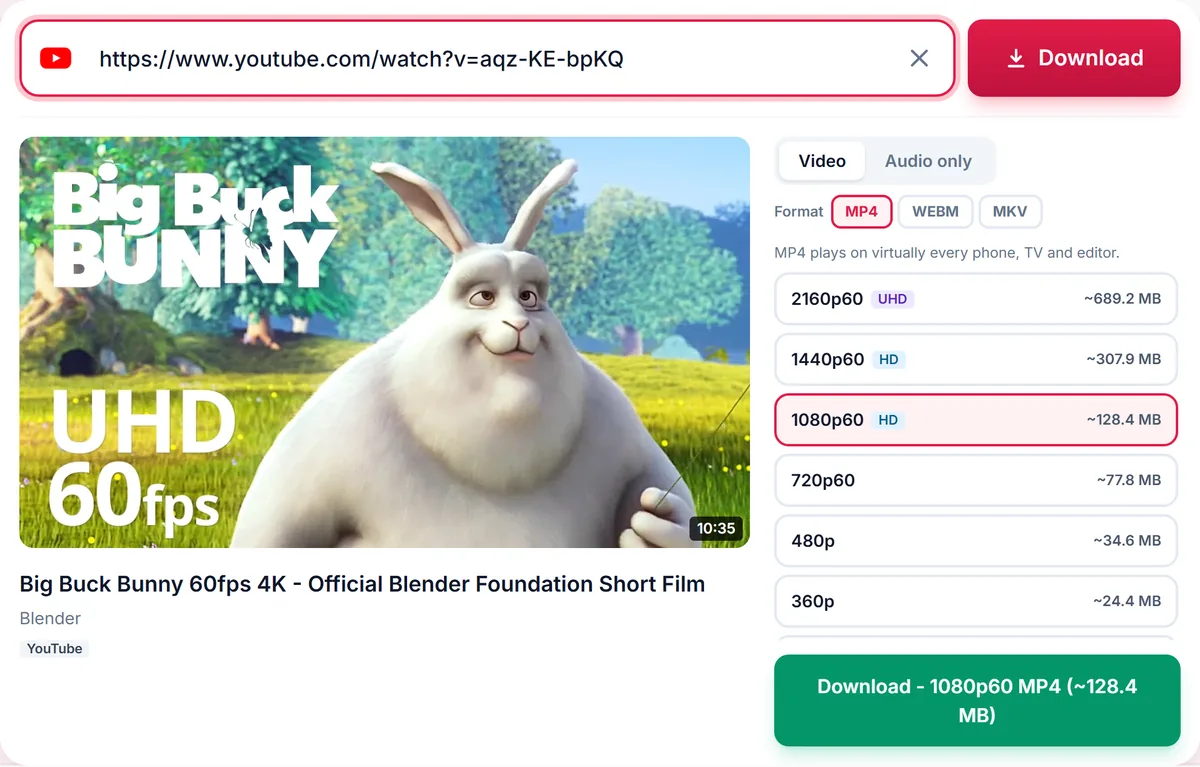
  2. Paste it into the box above. We list every available resolution, with file sizes.

    Quality list for a YouTube video: 2160p 4K, 1440p, 1080p, 720p, 480p and 360p MP4, each with its file size
  3. Choose a quality and container (MP4 is the most compatible), then press Download.

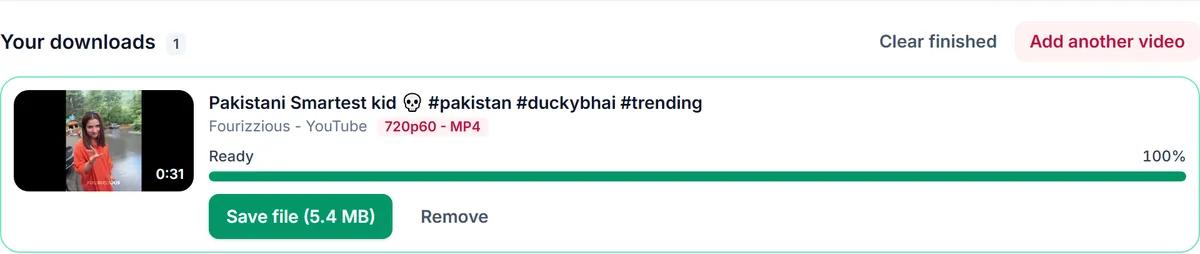
    A finished video download in Your downloads with a green Save file button showing the 5.4 MB file size

Every quality YouTube offers

YouTube stores HD and 4K video separately from the audio track. This downloader fetches both streams and merges them into one file, so you get sound at 1080p, 1440p and 4K - not a silent clip. Each option shows its resolution, frame rate (such as 1080p60), HDR where available and the estimated file size before you commit.

Choose MP4, WebM or MKV

MP4 plays on virtually every phone, TV and editor. WebM keeps the original VP9/Opus streams, and MKV holds any combination of codecs. If you pick MP4 for a resolution that YouTube only provides in newer codecs, we automatically fall back to MKV so the download always succeeds.

Video or audio only

Only need the sound? Switch to the Audio tab for MP3, M4A, Opus or WAV. It is perfect for podcasts, lectures and music you have the right to keep offline.

Only download content you own, that is licensed for download or that is in the public domain. See our Terms of Service.

Supported YouTube link formats

  • Standard videoyoutube.com/watch?v=VIDEO_ID
  • Short linkyoutu.be/VIDEO_ID
  • YouTube Shortsyoutube.com/shorts/VIDEO_ID
  • Playlistyoutube.com/playlist?list=PLAYLIST_ID
  • Mobile sitem.youtube.com/watch?v=VIDEO_ID
YouTube quality guide: which resolution should you pick?
ResolutionBest forFile size
4K (2160p)4K TVs, large monitors, editingVery large
1440p27-inch+ monitors and tabletsLarge
1080p / 1080p60Laptops, desktops, most screensMedium-large
720pPhones and quick offline viewingMedium
480p and belowSaving storage and mobile dataSmall
Audio onlyMusic, podcasts, lecturesSmallest

Troubleshooting YouTube downloads

The video says it is unavailable
The video may be private, deleted, members-only or restricted in the region of our servers. Open the link in a private browser window; if you cannot watch it there without logging in, it cannot be downloaded.
The quality I want is missing
We only list qualities the uploader published. A video uploaded in 1080p will never offer 4K.
The download takes a long time
HD downloads merge a video and an audio stream, and long videos are large. Try 720p, or wait for the progress bar to finish.
I get a WebM or MKV file
Some 4K sources cannot be placed in MP4. They play in modern players such as VLC; choose 1080p MP4 for universal playback.

Tips for faster, cleaner YouTube downloads

  • Paste the link as it is; extra text and tracking parameters are removed automatically.
  • Check the estimated size beside each quality before downloading on mobile data.
  • Choose MP4 for phones and TVs, WebM for browsers, and MKV to keep the original streams.
  • Use the Audio tab for podcasts and music instead of downloading a large video.

Related guides

YouTube downloader FAQ

What is the highest quality I can download from YouTube?

Up to 8K when the uploader provides it. Most videos top out at 1080p or 4K. The options list shows exactly what is available for your link.

Why is there no sound in some downloads from other tools?

HD YouTube video has no audio inside the video stream. We merge a separate audio stream into every HD download so your file always has sound.

Can I download a YouTube video that is part of a playlist?

Yes. Pasting a video link downloads that single video. If the link belongs to a playlist we also offer to download the whole playlist.

Does it work for age-restricted or private videos?

No. Age-restricted, private, members-only and unlisted-by-login content requires an account, so it cannot be downloaded.

How long are my files kept?

Finished files are available for a few hours and then deleted automatically from our servers.

How is your experience?

Rate your experience from 1 (bad) to 5 (excellent)